信息收集
1.0 信息收集
本文详细梳理信息收集全流程
给我一个公司名, xx有限公司, 应该怎样去做信息收集?
1.1 企业主体与主域名确认
企查查, 天眼查;
工信部服务平台
…
信息整理:
| 主体 | 备案号 | 主域名 |
|---|---|---|
| xx有限公司 | ICP备xx.. | target.com |
1.2 子域名信息收集
- FOFA
- 搜索引擎语法
- site:target.com
- 子域名挖掘工具:
- OneForAll
- 主动+被动
- 结果更全, 但是慢
- 自带解析
- subfinder
- 被动收集, 只查不扫, 不会触发WAF
- 速度快, 适合批量扫描
- OneForAll
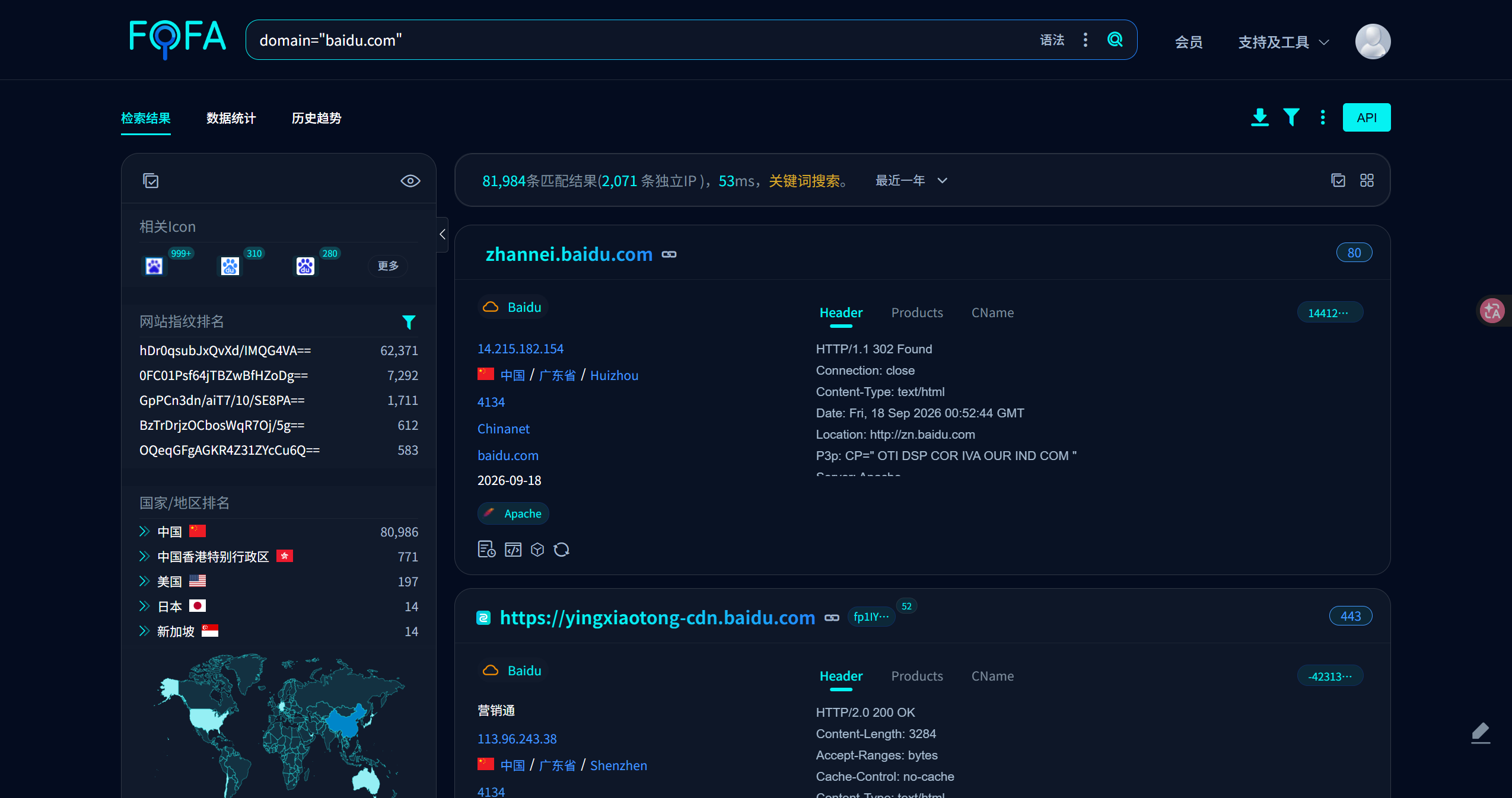
FOFA 子域名收集: (以百度为例)
1
domain="baidu.com"
![]()
OneForAll
1
2
3
uv run oneforall.py --target target.com run
uv run oneforall.py --targets domain.txt run # 读文件
# 结果在 results下subfinder
1
2
3
subfinder -d target.com
subfinder -d target.com -o subs.txt # 输出结果到文件
subfinder -dL domains.txt -o all_subs.txt # 从文件读
1.3 小程序&APP信息收集
- 通过小蓝本进行收集
- 工信部服务平台
1.4 存活探测
子域名拉取后, 存在大量死链, 下一步进行资产过滤
httpx
1
2
3
4
5
6
7
# 基础用法: 只看哪些域名活了
cat subs.txt | httpx -silent
# 带状态码, 标题, 技术栈(常用)
cat subs.txt | httpx -silent -sc -title -tech-detect
# 输出到文件
cat subs.txt | httpx -silent -sc -title -o live.txt
httpx -l subs.txt -silent -sc -title -tech-detect -o live.txt (更常用)
1.5 指纹识别
- 浏览器插件 Wappalyzer
- httpx 批量识别 (-tech-detect)
1.6 真实IP收集
如何判断网站使用了CDN?
多地Ping: 若IP结果不唯一, 则使用了CDN
DNS解析: 返回多个IP
HTTP响应头分析: 使用
curl -I查看响应头, 出现Server: cloudflare,X-Cache等字段1
2# 站长工具
https://ping.chinaz.com/
如何绕过CDN?
很多网站只对主站或者高流量子站做CDN, 若使用真实IP的子站和主站处于同一个服务器或者C段, 则可通过子站IP辅助查找主站真实IP
历史DNS记录
1
2
3
4# 微步
https://x.threatbook.com/
# ip138
https://www.ip138.com/国外访问
1
https://ping.pe/
邮箱服务: 查看邮件头
Received字段
1.7 端口信息收集
目标: 在存活资产基础上发现开放端口, 为服务识别和 Web 入口扩展做准备
原则: 先快后慢, 先全后精, 控制速率
扫描策略:
- 先对存活 IP 做常见端口快速扫描
- 再对重点 IP 做全端口扫描
- 最后用 nmap 对开放端口做精细识别
- CDN/WAF 资产先尝试找真实 IP, 再扫端口
- 非标端口发现后, 重新用 httpx 探测 Web 服务
常用工具:
naabu: 快速对全端口进行扫描
1 | # 1. 常见端口快速扫描 |
nmap 精细识别
1 | # 常见 Web 端口 |
1.8 Web信息收集
目录信息收集:
dirsearch工具
1 | dirsearch -u https://target.com -e * |
浏览器插件FindSomething